IPTV Hub: Live TV Player
- 3.9
- Rating
- 100.00K
- Installs
- Free
- Price

 Analysis by App-foxy
I tested IPTV Hub: Live TV Player as a practical way to bring an existing IPTV playlist or live television source into one viewing app. My starting point was simple: I wanted a cleaner route from a playlist to the television screen without treating the player itself as a television provider. That distinction matters. The app is a video player from Nonari Tec, not a replacement for a legitimate subscription or source.
In everyday use, its appeal is easy to understand. You already have access details for a lawful IPTV service, and you want one place to enter them, browse the available channels, and start watching. The store summary presents it as fast, smooth, and easy to use, and my overall impression is that its value comes from reducing the distance between an IPTV source and the actual viewing session. It is free, aimed at Everyone, and belongs in the video players and editors category rather than in the same group as streaming services that supply their own catalog.
From an IPTV source to a viewing session
I find that a good IPTV session starts before playback: the source has to be ready, legitimate, and entered carefully. This section follows that handoff from playlist to channel, while keeping the player’s role distinct from the service providing the streams. Once that foundation is clear, it becomes easier to judge what the app can reasonably do when viewing gets demanding.
You May Also Like

 AccuWeather: Weather Radar
AccuWeather Review: A Quick, Clear Forecast for Everyday Decisions
For everyday plans, the best forecast is the one you can understand quickly. AccuWeather makes rain timing, radar, and local conditions easy to act on, with a few trade-offs.

 Hill Climb Racing
Why Hill Climb Racing Still Turns Crashes Into One More Run
A tiny car, a bumpy hill and one more upgrade: Hill Climb Racing keeps resurfacing because its simple chaos makes every near-miss feel personal.

 AliExpress - Shopping App
AliExpress Makes Global Shopping Feel Personal, but Shoppers Bear the Risk
AliExpress turns a global marketplace into a pocket-sized discovery engine. Its reach is useful, its shopping loop compelling, and its trade-offs easy to miss.

 Lords Mobile: Kingdom Wars
Lords Mobile Is a Kingdom-Building Routine, Not a Quick Match
A case-by-case verdict on the building, battles, device demands, and social commitments that make Lords Mobile rewarding for some players and exhausting for others.

 PDF Scanner app - TapScanner
TapScanner Makes Paperwork Easier to Capture, Check, and Share
TapScanner makes scanning with a phone feel less like a rescue operation and more like a dependable step in getting work done. Its capture tools are useful, though not flawless.

 Block Blast!
 Shows How Much a Puzzle Game Can Leave Out
A quiet grid game shows why puzzle players increasingly value instant clarity, repeatable skill and low-pressure play—and where the genre still needs to catch up.
More From Our News Desk
View All News


The starting condition: you bring the source
The first thing I would tell a friend is to prepare the playlist or service information before opening the app. IPTV Hub: Live TV Player cannot make an empty channel list useful by itself. You need a legitimate source, and you should know whether your provider gives you a playlist file, a playlist address, or another supported form of access. Keeping those details ready makes the first session much less frustrating.
This is also where the app’s limits become clear. A normal streaming service begins with an account and a ready-made catalog. An IPTV player begins with a handoff from somewhere else. If you expect to install the app and immediately browse channels, you may feel that the experience starts halfway through. If you already have a trusted source, however, the arrangement makes sense because the player stays focused on playback rather than mixing in a separate content business.
I also recommend checking the source on a device or service you already trust before blaming the player for a missing channel. IPTV lists can change, expire, or contain entries that behave differently from one another. A little preparation helps separate a source problem from an app problem, which is especially important when you are troubleshooting live video.
Step one: getting the list into place
The useful workflow begins when you add your playlist or live TV source. I would approach this slowly rather than pasting information repeatedly. Confirm that the address or file is complete, watch for accidental spaces, and keep your provider’s instructions nearby. With IPTV tools, a small input mistake can look like a broken application because the result is often an empty list or a channel that refuses to load.
Once the source is accepted, the next handoff is from setup to browsing. This is the point at which a player earns its place on the phone or tablet. Instead of returning to a browser, a file manager, or a provider’s separate instructions every time you want to watch, you can work from the channel list inside the player. That single change is more valuable than it sounds for people who regularly switch between live channels.
My practical tip is to add one dependable source first, then test it before adding anything else. Starting with a smaller, known-good list makes it easier to see whether the app is handling the input correctly. It also prevents a crowded list from hiding the real cause of a failed playback attempt.
Step two: moving from the list to the channel
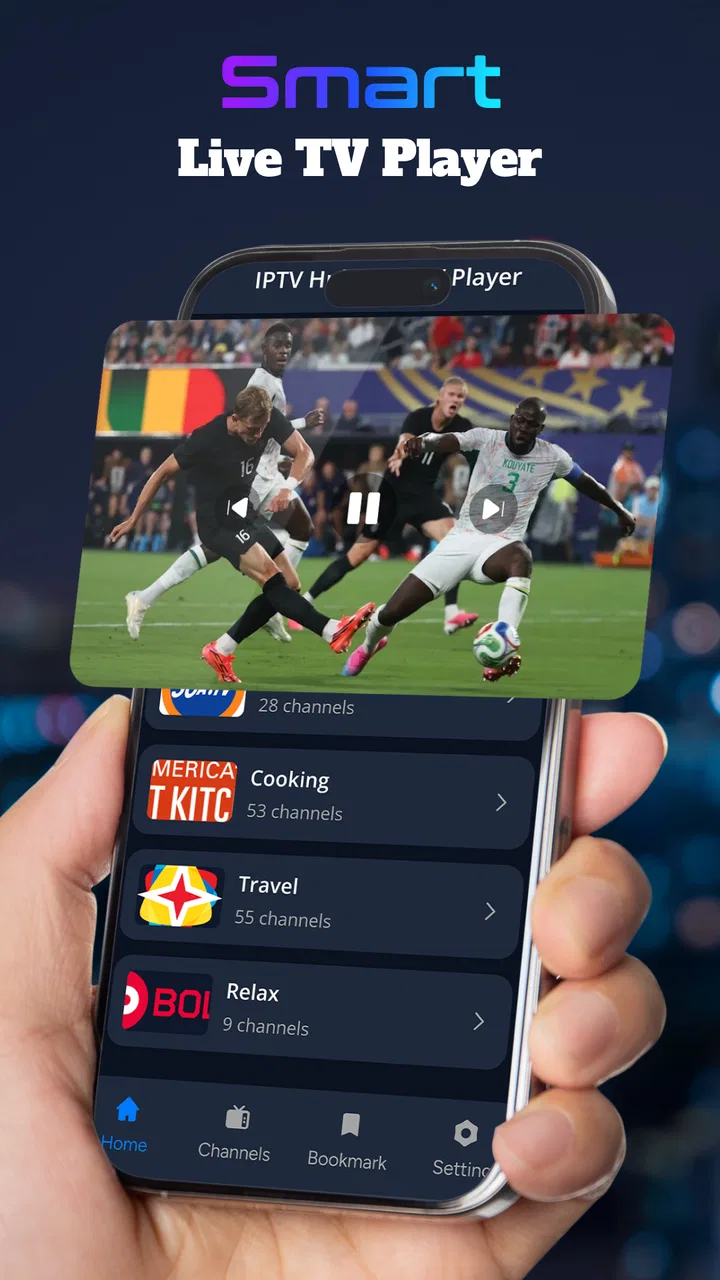
After the playlist is available, the normal path is straightforward: browse the entries, choose a channel, and wait for the stream to begin. The important handoff here is from channel information to video output. A good player should make that transition feel uneventful, and this is where IPTV Hub: Live TV Player is most attractive for casual viewing.
For a realistic evening scenario, imagine that I have finished dinner and want to watch a live news channel from a service I already use. I open the player, select the saved source, find the channel, and start playback. If the stream is healthy, I do not need to open a separate web page or search through unrelated recommendations. The app serves as the viewing layer between my provider and the screen.
That workflow is especially helpful on a phone when I am away from the main television. It can also be useful for someone who wants a compact live-TV tool rather than a full entertainment platform. The trade-off is that the quality of the session still depends heavily on the source and connection. A smooth interface cannot repair a stream that is overloaded, unavailable, or poorly configured.
Step three: handling the handoffs between devices and people
IPTV viewing often involves more than one person or device. One person may receive the service details, another may install the player, and a third may be the one who actually watches. That makes setup clarity important. If I were helping a family member, I would complete the first playlist import with them present, then show them the route from opening the app to selecting a channel. This avoids leaving them with a list of technical details and no clear routine.
The app is also a better fit when the goal is personal control over the viewing source. Someone who manages several lawful playlists may appreciate having a dedicated player instead of mixing those sources with ordinary video apps. On the other hand, if every member of a household expects a polished guide, synchronized profiles, recommendations, and a single support channel, a conventional streaming platform may be less work.
Another useful habit is to keep the source information separate from the player itself. If a provider changes a playlist, update the source carefully rather than assuming that reinstalling the app will solve the issue. This distinction saves time: the application handles playback and access to the list, while the provider remains responsible for the channels and stream availability.
What the finished result feels like
When the source, list, and connection cooperate, the result is a focused live-TV experience. I can move from an IPTV source to a channel without carrying out the full search-and-discovery process associated with larger streaming apps. The simplicity is the main strength. There is less visual noise, and the purpose is immediately understandable.
The app’s current version is 1.0.0, so I would judge it as an early, focused player rather than as a mature television ecosystem with years of accumulated extras. That does not automatically make it a poor choice. It simply means I would prioritize the core question: does it make my existing streams easier to watch? For a person who answers yes, the restrained approach can be a benefit.
Its public reception gives a mixed but reasonably encouraging signal: the app has a 3.9 average from around 4.2 thousand ratings and has passed 100 thousand installs. I would read that as evidence of real interest, not as a guarantee that every playlist will work perfectly. The number of ratings also suggests that people are trying it in varied setups, where provider quality, device behavior, and network conditions can differ widely.
The free price lowers the barrier to testing it. That is useful because IPTV playback is highly dependent on the exact source a person uses. Rather than committing money before knowing whether the workflow suits you, you can see whether the app fits your routine. Free does not remove the need for a legitimate source, though, and I would not treat the lack of an upfront charge as permission to use unauthorized channels.
Where the workflow breaks
The first likely break is an invalid or unreliable playlist. If the list imports but channels fail one by one, I would test a known-working entry and compare the behavior across sources. A player can present a channel, but it cannot guarantee that the remote stream is online. This is one of the biggest differences from a traditional streaming app, where the service controls both the catalog and the playback infrastructure.
The second break is poor network quality. Live video has less room for recovery than an on-demand film because the viewer is following a moving broadcast. Pauses, delays, and sudden drops can come from the connection, the provider, or the channel itself. I would avoid judging the whole app after one bad stream. Test another channel from the same source, then test the same channel later if necessary.
A third point of friction is list management. A large playlist can be convenient, but it can also make browsing slower in practice because the useful channels are surrounded by entries you never watch. My advice is to treat the list as something to maintain, not something to import once and forget. Removing or organizing irrelevant entries, when the app and source allow it, can make the daily experience feel much more direct.
There is also a privacy and trust consideration in the handoff process. IPTV access details are sensitive, so I would only enter them into an app downloaded from a reputable source and only use services I am authorized to access. I would not share credentials casually, and I would avoid copying them into random notes or messages. The player’s convenience is not worth careless handling of account information.
Who should use it, and who should skip it?
I think IPTV Hub: Live TV Player is best for someone who already has a legitimate IPTV playlist and wants a dedicated, uncomplicated route to live channels. It is also a sensible trial for viewers who prefer controlling their own source instead of receiving a fixed catalog from a mainstream platform. The Everyone age rating and free availability make it approachable for general household use, while the minimum operating system requirement of Android 8.0 keeps it relevant to many older devices.
I would be more cautious about recommending it to a person who has never used IPTV before and expects the app to provide channels automatically. That person may be happier with a conventional live-TV service that supplies the content, account system, guide, and customer support in one place. I would also steer away from it for viewers who need advanced recording, elaborate parental controls, multi-profile features, or a polished program guide unless those capabilities are clearly part of their chosen setup.
It is not the right choice for someone who wants one-click entertainment with no configuration. The initial source handoff is part of the product experience, and that adds responsibility. In exchange, the user gets more independence and potentially a simpler playback route. Whether that is a benefit depends on how comfortable the person is with managing their own IPTV source.
How it compares with familiar alternatives
Compared with a mainstream streaming app, this player is less self-contained but more source-neutral. A streaming service usually wins on discovery, polished recommendations, and predictable support. IPTV Hub: Live TV Player wins when I already know what I want to watch and already possess the lawful access needed to watch it.
Compared with watching through a provider’s website, a dedicated player can reduce browser clutter and make the routine more consistent. The provider’s own site may still be better when it includes a detailed guide, account tools, or support features that the player does not replace. The choice is therefore less about which app is universally superior and more about whether I value a clean playback layer or an all-in-one service.
Compared with a general video player, this app is more directly shaped around IPTV and live television use. That focus can make the path from playlist to channel easier than adapting a broad media tool. The trade-off is that a general player may be preferable for people who want to combine local files, ordinary online videos, and many unrelated formats in one place.
My practical verdict after following the full route
My experience with IPTV Hub: Live TV Player is positive when I treat it as what it is: a focused bridge between a legitimate IPTV source and live playback. The best part is not a flashy extra; it is the reduced friction after the source has been prepared. I can move from a known list to a channel without turning the session into a search across several tools.
The limitations are equally important. It does not remove the need for a reliable provider, a valid playlist, or a stable connection. Users who want a complete television subscription, a rich guide, or a hands-off setup may find a conventional streaming alternative more comfortable. Users who are willing to manage the source themselves will likely appreciate the control and the free entry point.
Nonari Tec has positioned this release as a straightforward video player, and that narrow purpose works in its favor. I would recommend trying it if your main problem is getting an existing IPTV playlist into a convenient viewing routine. I would skip it if your real need is content discovery or a fully managed live-TV service. The deciding question is simple: do you need a player for your source, or a service that supplies the source too?
For my own recommendation, I would install it with one trusted playlist, test several channels under normal home conditions, and only then decide whether it deserves a permanent place on the device. That small trial reflects the app’s real character: useful, accessible, and focused, but dependent on the quality of the handoff that happens before playback begins.
FAQs for IPTV Hub: Live TV Player
01What is IPTV Hub: Live TV Player, and how does it work?
IPTV Hub: Live TV Player is an application designed to play television streams delivered through IPTV technology. It generally acts as a media player rather than a television service, meaning you usually need to add a compatible playlist, portal, or provider login before watching channels. The available content, channel organization, and streaming quality depend largely on the IPTV source you use.
02Does IPTV Hub: Live TV Player include live channels or free television content?
The app itself should not automatically be considered a source of free live television channels. In most cases, IPTV Hub provides the playback interface while users supply their own legal IPTV subscription or playlist. Before downloading or using it, check whether your provider supports the app and confirm that the channels and streams you access are properly licensed in your country.
03Which devices and IPTV formats are supported?
Compatibility can vary according to the app version, operating system, and device model. IPTV players commonly support playlist formats such as M3U and may work with electronic program guides or provider credentials, but not every service uses the same setup. Review the current store description and your provider’s instructions to verify support for your Android or iOS device before subscribing.
04Is IPTV Hub: Live TV Player free to use, and are there in-app purchases?
The download may be free, but some features can require payment, such as removing advertising, unlocking advanced playback tools, or accessing premium functionality. IPTV subscription costs are usually separate from the application and are paid to the content provider. Check the official Google Play or App Store listing for current pricing, trial conditions, recurring billing, and available purchase options.
05Why might channels buffer or fail to play in IPTV Hub?
Playback problems are not always caused by the player itself. Buffering may result from a slow or unstable internet connection, overloaded provider servers, incompatible stream formats, expired playlists, or restrictions imposed by the network. For the best results, use a reliable Wi-Fi or mobile connection, keep the playlist updated, restart the app, and contact your IPTV provider if only specific channels fail.
Pros
- Supports multiple IPTV playlist formats for flexible setup.
- Clean interface makes switching between channels quick and simple.
- Electronic program guide helps users check upcoming broadcasts.
- Works with external players for greater playback compatibility.
- Favorites and channel organization make large playlists easier to manage.
Cons
- The app does not provide TV channels or streaming subscriptions itself.
- Playlist setup may be confusing for users unfamiliar with IPTV services.
- Playback quality depends heavily on the playlist and internet connection.
- Some advanced features may require in-app purchases or premium access.
- Channel availability and EPG accuracy can vary by provider and region.

IPTV Hub: Live TV Player
Gallery